Content Block System for Museum Storytelling
My role:
Solution Designer
Content Modeling
Product Discovery
User Experience Design (UX)
Information Architecture
User Research
Task: Design a content system that helps museum staff turn raw archival materials into publishable stories — without editorial skills or dedicated staff.
Context
Big Museum is a SaaS platform where museums build websites and publish digital narratives. Smaller museums had rich archives but no editors: texts existed as long academic documents and scattered fragments. Staff knew their collections deeply, yet publishing stalled — people faced a blank page and didn't know how to turn an archive into a story.
Сlient: yandex & polytechnic museum fund
Sector: culture, education
My role: product manager, ux researcher and designer
Audience: museum staff of medium and smaller museums
Year: 2019
Process
Research and the core idea. I interviewed museum staff responsible for digital content and then tested the work myself — creating an article from real archival materials. The pattern was clear: the problem wasn't lack of content, it was lack of structure. So I sorted archival materials into stable categories — artefacts, people, terms and definitions — and found repeating patterns inside each: metadata, image + caption, body text. This became the concept of content blocks: standardized units that can be assembled into narratives, reused across formats, and linked to each other.

Structure over writing skill. Together with journalists from cultural media, we turned blocks into basic content formats (artefact, person, definition) with editorial guidelines: required fields, writing prompts, editor's recommendations. Instead of writing from scratch, staff fill a clear structure. We tested this with printed prototypes in a workshop with museum staff before building anything.

Structuring materials into categories
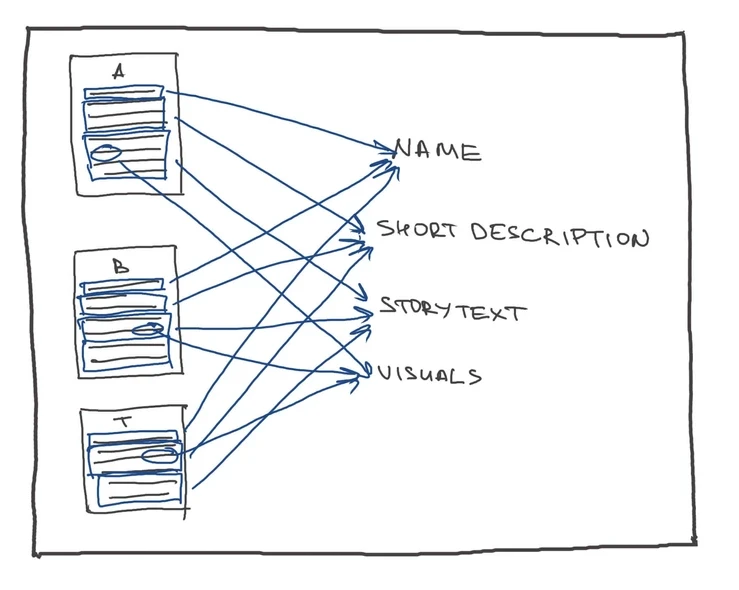
Finding patterns in materials

Formatting materials into the page

From blocks to complex formats. The same blocks scale up into collections, virtual exhibitions, events, and audio tours — plus a free-form article format. Because every piece of content is a structured block, it can appear in multiple formats without duplication: one artefact lives in a collection, an exhibition, and a story at the same time.
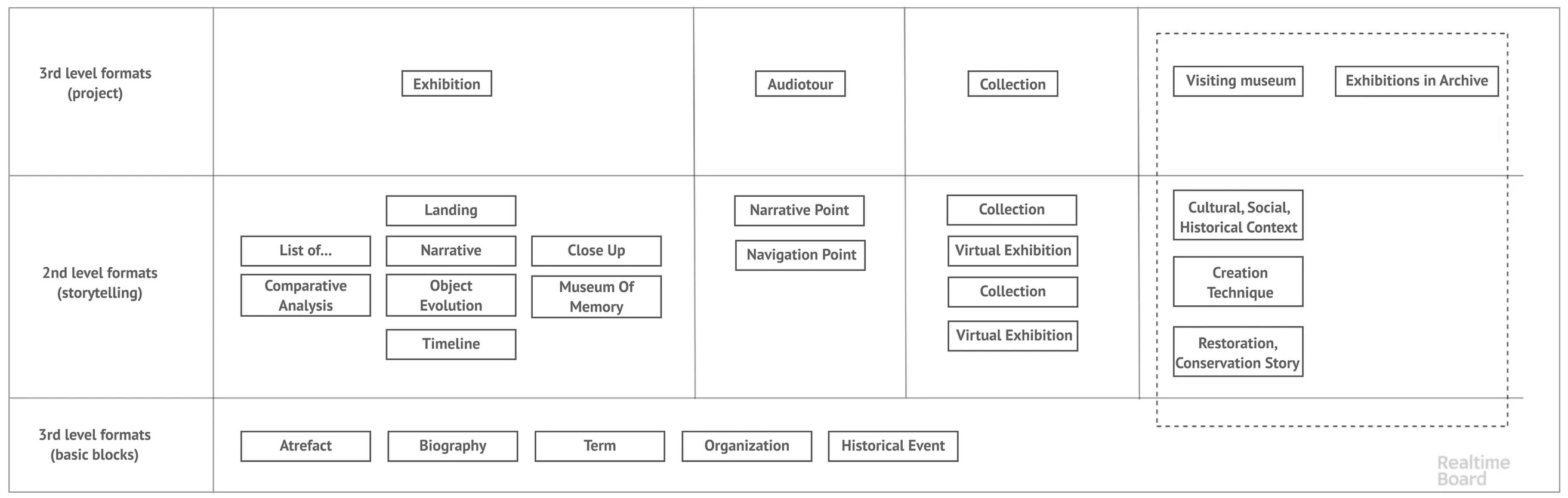
Structuring materials into categories
Page builder. With the design and development teams, we built a WYSIWYG page builder around the block system. Each format keeps a consistent structure, so staff always see what the final page will look like — and several team members can build different blocks of one narrative in parallel.

Structuring materials into categories
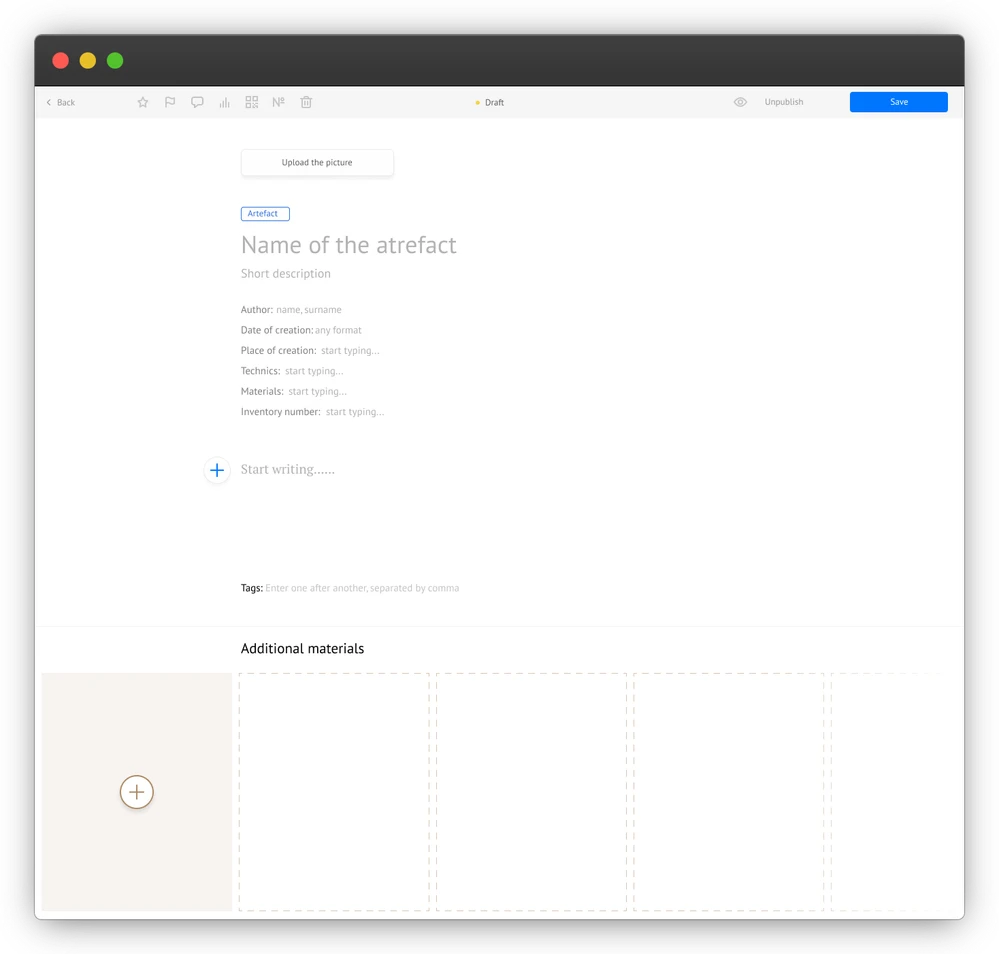
Artefact page builder
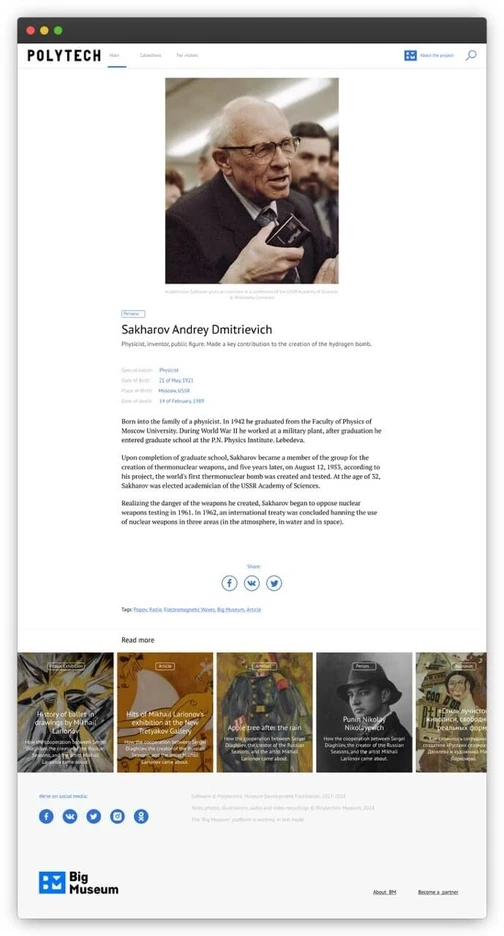
Persona page public view
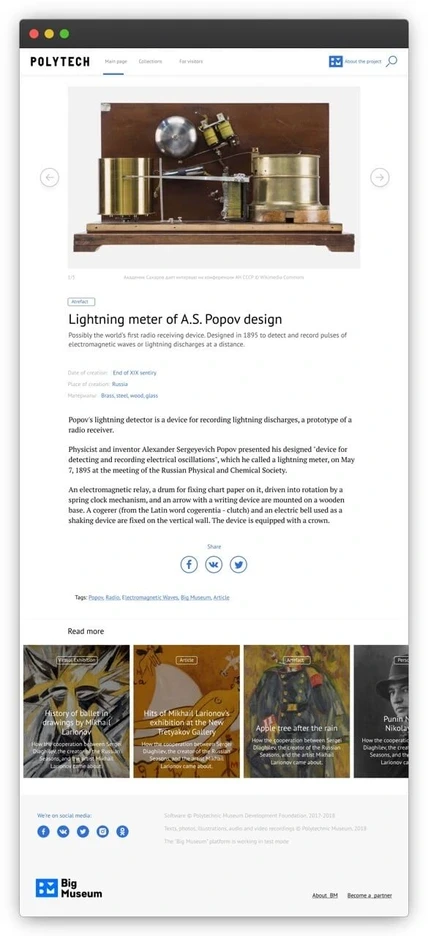
Artefact page public view
How it works for the end user
Structured content isn't only an editorial convenience. Because artefacts, people, and definitions exist as separate linked entities, the museum website gets cross-references for free: a visitor reading about an exhibition can jump to an artefact, from the artefact to its author, from the author to another story. Content becomes navigable and searchable instead of buried in long pages.

How formats can be reused
Complex formats view

Public view of a slice of Virtual Exhibition format
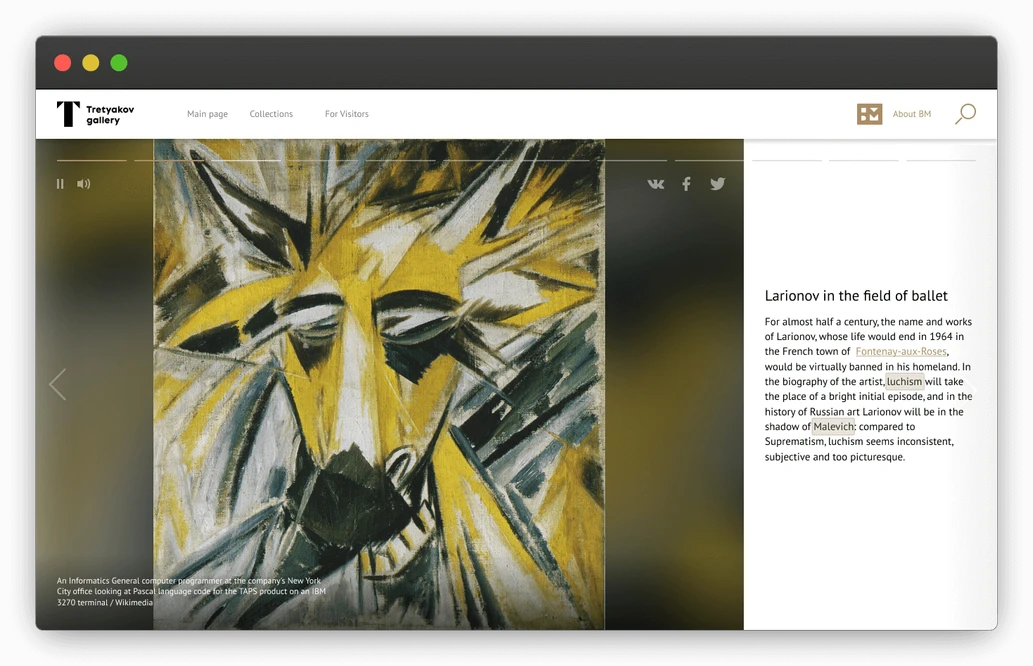
First page of creating Virtual Exhibition format

Exhibition 'on view' format public view
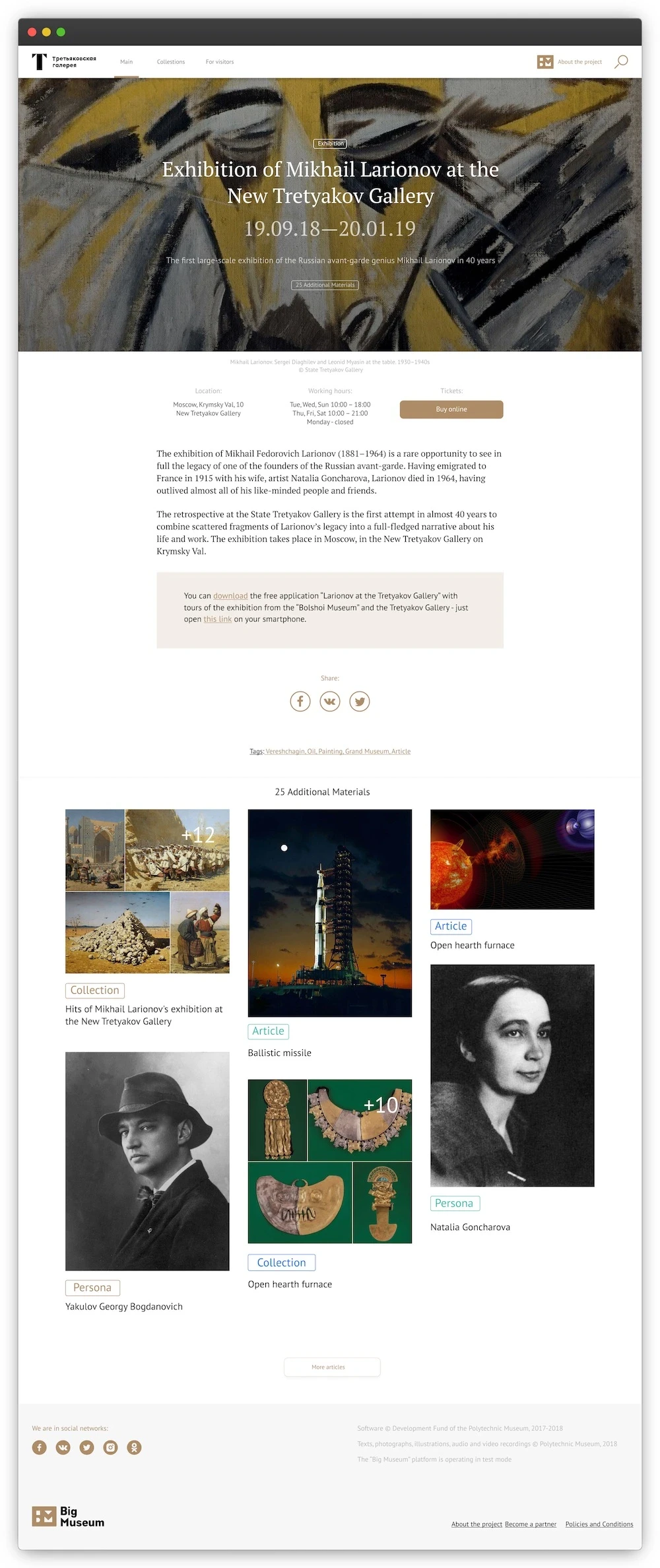
Exhibition 'on view' format public view
Platform development
Design: Gregory Gravchenko, Stas Shupikov
Project Manager: Alena Egorova
Development: Evgeny Kazmiruk, Andery Bolgov
Mobile development: Ivan Firsov
QA: Maria Sher, Taya Gorbunova
Founding father: Konstantin Chernozotonsky
Result: A content block system integrated into the platform's CMS: museum staff assemble stories from existing materials, reuse the same content across formats, and visitors navigate connected artefacts, people, and stories across the site.