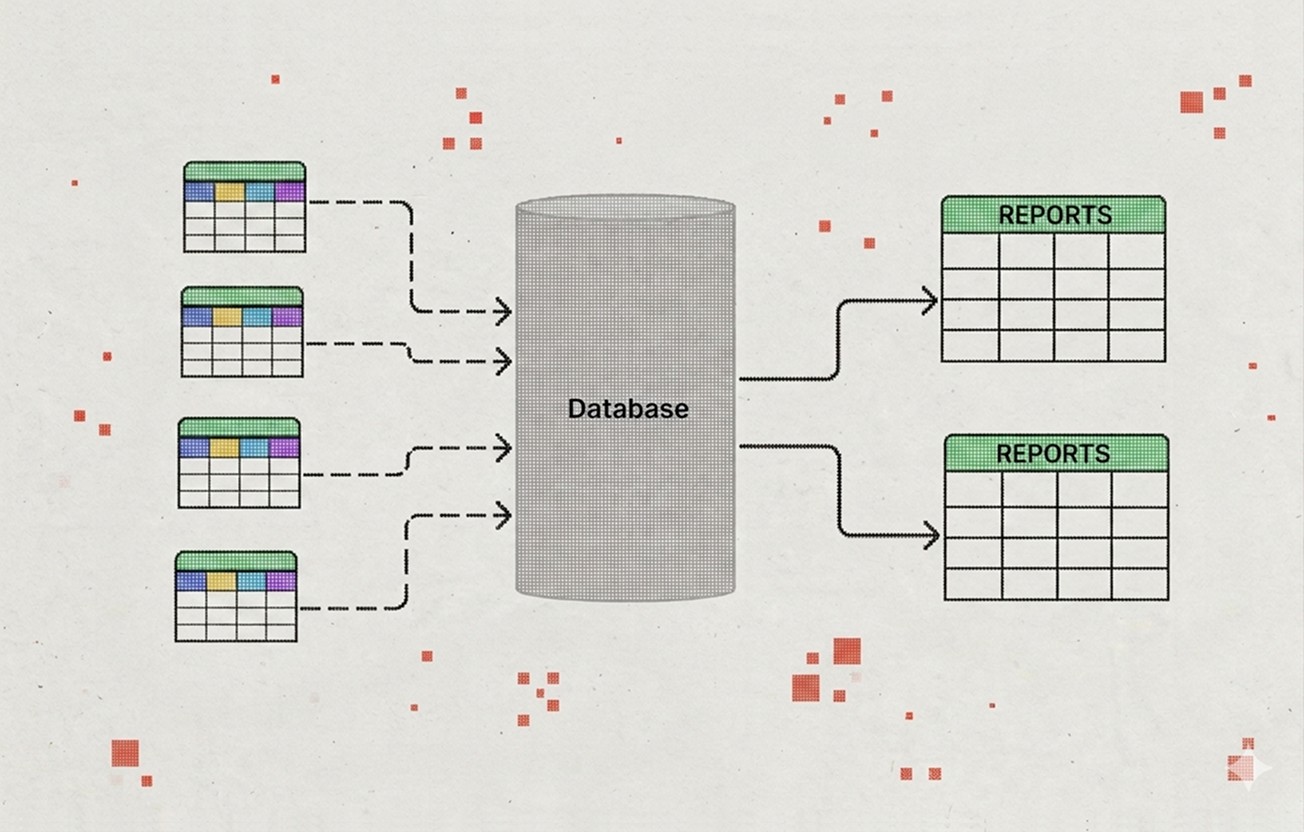
Database in Google Sheets
Collecting data manually from scattered files often leads to outdated results, making it difficult to reach decisions based on the most current information.
Schools, NGOs
Cultural Institutions
Small, Medium-Sized Businesses
Google Sheets
Google Apps Script
HTML/CSS (Custom UI)
Airtable
n8n
Looker Studio
☎️ Your time:
✨ My time:
1–3 weeks
~6 hours
13-17 hours
Data lives in five different places. By the time someone pulls a report together, some numbers have already changed.
Client's quote
Problem
Information lives in separate spreadsheets, shared folders, and chats — and no one is sure where the latest version is. When someone needs a report, they spend hours pulling data together manually. By the time it's ready, some numbers have already changed.
This is not about negligence. According to industry research, roughly 60% of nonprofits still rely on spreadsheets as their primary data tool. It happens naturally when a team grows and there was never a moment to think the system through. At some point the mess becomes normal, and every new file only adds to it.
My Role
Always part of the process:
Interview the people who collect, use, and depend on the data
Map where information currently lives and where it gets lost or duplicated
Design the database structure: sheets, columns, naming conventions, relationships between tables
Develop unified data entry rules together with you
Test the system with real data
Write a short guide so the team can use and update the database on their own
Depending on your needs, this can also include:
Automatic summaries and calculated totals
A dashboard view (Looker Studio or built-in)
Alerts when numbers fall outside expected ranges
Separate views for different roles or departments
Scheduled reports sent automatically by email
Your Part
Kick-off call to map the current situation together
Access to the people involved in the process — 1–2 short calls with them
Access to existing files and spreadsheets
Access to your Google Workspace or the personal account where the database will live
Feedback at two key checkpoints: after the structure is designed and after the system is built
Result
A single structured database in Google Sheets. Your team enters data in one place — reports, summaries, and dashboards are generated automatically.
This is not a simple table with merged cells. It is a system of interconnected sheets: with consistent naming, clear input areas, data validation, and formulas that handle the aggregation.
A usage guide for your team — including data entry rules to keep the database clean
Full handover: all files, access, and settings stay with you
Worth thinking about alongside this
A database solves the "where is our data" problem. But there are a few related things that often come up once the data is in one place:
Reporting habits
A database is only useful if people actually look at it. It helps to think about who will review the data, how often, and what decisions it should inform.
Data entry discipline
The cleanest structure will not survive inconsistent input. If multiple people enter data, even a short onboarding on "how we fill this in" makes a real difference.
Connected processes
If you are organizing your data, it might be a good moment to also look at how your team manages tasks, tracks projects, or handles incoming requests. These often turn out to be connected.
Frequently asked questions:
Can this pull data from tools we already use, not just spreadsheets?
Often, yes — forms, other spreadsheets, and some CRMs can feed into the same structure. We'll map your current sources during the kick-off call.
Do we need everyone on the team to be comfortable with formulas?
No. The structure is built so people fill in simple input areas — the formulas and validation work in the background.
What happens as our data grows?
The structure is designed to scale with more rows and more contributors. If volume grows enough to need a different tool entirely, we'll flag that early rather than let the sheet slow down.
Can we add a dashboard later, even if we skip it now?
Yes. The structure is built so a dashboard can be layered on top later without rebuilding the database.
You might also find useful:
Onboarding Automation
Every new hire means someone experienced stops their own work to explain the basics — and the more the team grows, the more those hours add up.
Learn more
Onboarding process for volunteers
Built on a no-code platform: Manychat, SendPulse, or similar
Learn more
Online Exhibition Archive
Each closed exhibition becomes a Temporary Exhibition Preservation Page: for museums that want temporary exhibitions to stay online instead of disappearing.